How to Plan Features in an Async First Culture
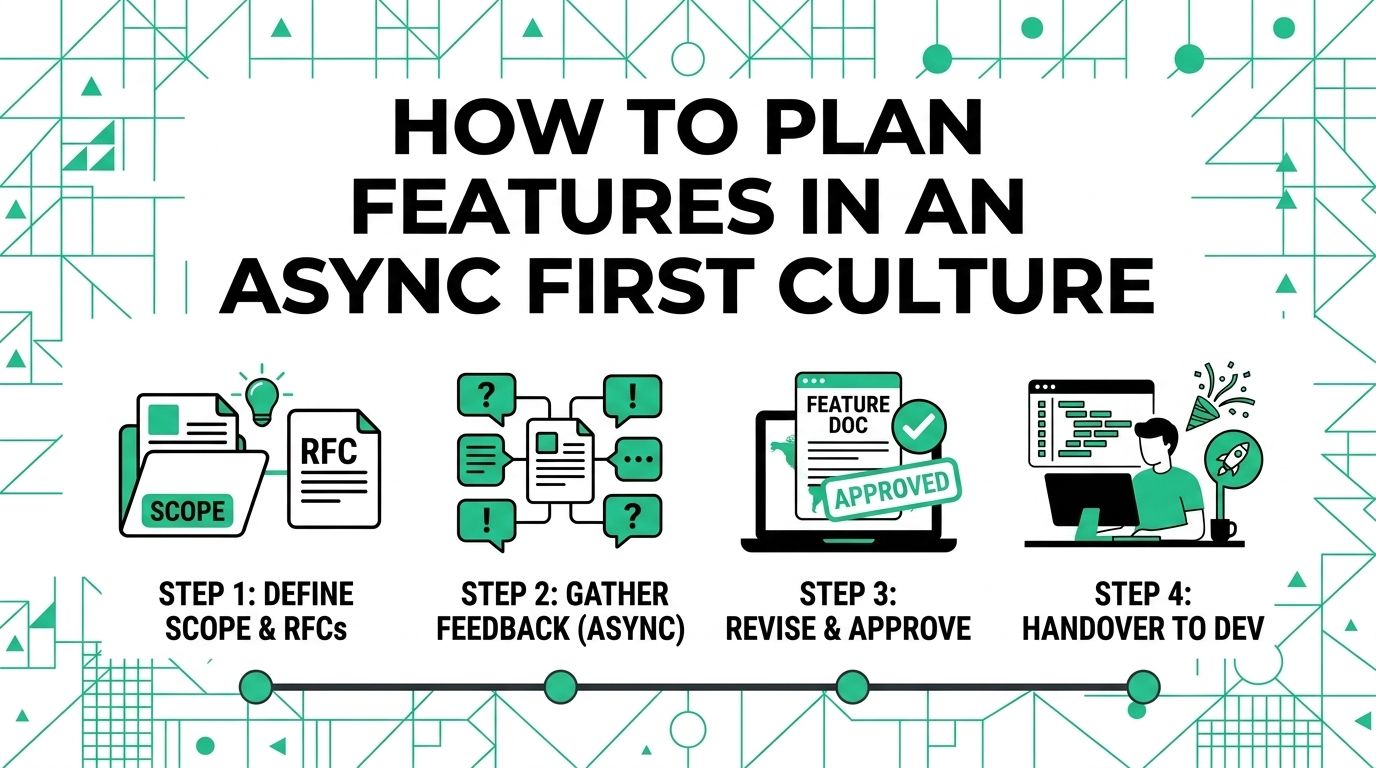
Async feature planning works when the thinking is visible. People need enough context to make a decision without sitting in the same room.
For a related Working Nomads article, read how to ask for vacation days when you work remotely for stronger resumes before you decide your next step.
That does not mean every idea needs a long document. It means the important parts should be written clearly before the team debates the work.
Start With a Short Product Brief
Write the brief before asking for feedback. Keep it focused.
Explain the problem, the user, the proposed solution, the risks, and the decision you need from the team. Add links to research, customer notes, designs, or tickets when they matter.
- Name the user problem Show why the feature should exist
- Explain the tradeoffs Say what the team gains and gives up
- Ask for a decision Make the review goal clear
Give People Time to Review
Async planning fails when feedback has no deadline. People need room to think, but the plan also needs to move.
Set a clear review window. Tell people when comments close, who decides, and what happens next. Atlassian's guidance on asynchronous communication for distributed teams also points teams toward clearer written context and fewer unnecessary live meetings.
Source: Atlassian guide to async communication for distributed teams
Use Comments for Specific Decisions
Threaded comments work best when each thread has a clear question. Avoid giant open-ended debates inside one document.
Ask things like, "Do we agree this is the first user group?" or "Which tradeoff is acceptable for launch?" The tighter the question, the easier the answer.
Save the Final Decision
A planning doc is not finished until the decision is clear. Write the final call at the top or bottom of the document.
Include what the team chose, why it chose that path, who owns the next step, and what changed from the original proposal.
Know When to Use a Live Meeting
Async does not mean meetings are banned. Use a live meeting when the team is stuck, the conflict is sensitive, or the decision needs fast back-and-forth.
Send the brief first so the meeting can focus on the hard part instead of basic context.
Compare Live Planning and Async Planning
| Planning area | Meeting-heavy habit | Async-first habit |
|---|---|---|
| Context | Explain everything live | Share a short brief first |
| Feedback | Capture comments in scattered notes | Use threaded comments in one place |
| Decisions | Leave the call with fuzzy next steps | Save the final call and owner |
| Meetings | Meet for every question | Meet only when the written review gets stuck |
Async feature planning is not slower when the writing is clear. Put the thinking where people can review it, give them a deadline, and save the final decision where the team can find it later.
What to Read Next
Read better ways to onboard remote employees if you want a related next step on remote work.
Use how to negotiate your remote work agreement planning guide when you need more context before your next decision.
Publishing Articles or Documentation? Remove AI Slop.
Remove repetitive AI filler phrases, robotic patterns, and AI slop to make your content human, engaging, and original.
Applying for Growth Marketing & SEO Specialist Roles?
Boost your callback rate with our 100% free ATS-optimized resume template tailored specifically for remote Growth Marketing & SEO Specialist positions.
Remote Growth Marketing & SEO Specialist Resume Template
Built for performance marketers and organic search experts scaling visitor-to-customer acquisition funnels.
ATS Keyword Scanner
Check your resume against remote job descriptions to find missing keywords and boost your score.
Tailored Cover Letter
Generate a personalized, high-converting remote cover letter emphasizing async communication.